Vectis · Hotel operationsFor owners, general managers and groupsvectislabs.in
Vectis Run — the operating layer for a hotel’s daily work
Run a hotel that holds its standard when you’re not in the building.
Vectis Run gives every routine, check and guest issue an owner and a deadline. Staff send photo proof where it matters, a manager — or AI checking the photo against your written standard — decides whether it was done right, and every morning you see only what was missed, late or still waiting.
The gap between marked complete and verified complete
Most hotels don’t lack standards. They lose them in the distance between someone saying a job is done and anyone knowing it was done right.
Every hotel already runs on checklists. They live on a clipboard at the front desk, in a binder in the kitchen, in a WhatsApp group where a thumbs-up stands in for an inspection. A room is ready because someone said so. The banquet hall is set because a photo arrived — of something, from some angle, at some point in the evening.
The trouble surfaces later, and in the worst place: at check-in, at the table, in a review. Then comes the reconstruction — who was on shift, who was told, who said it was done — and there is no record to settle it.
So the owner becomes the system. You walk the floor, call the GM, scroll through the photos yourself. The standard holds while you are in the building and drifts when you are not: from the morning shift to the night shift, and from one property to the next.
Meanwhile, the people doing the work are judged on impressions. The staff member who did the job properly but sent a blurry photo looks the same as the one who skipped it. That is not fair to either of them, and it is not how good teams are built.
Two kinds of done
Question
Marked complete
Verified complete
Who
Whoever replied in the group
A named person the task was assigned to
When
Whenever the message happened to be sent
Started and completed against a due time, time-stamped
Proof
A thumbs-up, or a photo without context
A photo taken inside the task, on the tasks that require one
Standard
Whatever the person remembers
Your written standard, criterion by criterion, in the version the task was created under
Decision
Nobody’s — until a guest notices
Verify, request rework or request retake — by a manager, or by AI where you have allowed it
Record
Scrolled out of sight by tomorrow
An append-only trail of every change, kept
Vectis Run is built around the right-hand column.
How the loop closes
Five steps, the same for a breakfast setup, a pool check or a guest complaint.
AssignedA routine or issue becomes a task with an owner and a due time.
DoneStaff start and complete it on their phone, with minimal typing.
ProvenA photo is taken in the task wherever the task calls for one.
VerifiedA manager — or AI, against your standard — makes the call.
VisibleExceptions reach owners and managers, every morning.
02
Outcomes for the business
What changes on an ordinary Monday morning
No invented percentages. These are the practical differences once a hotel’s daily work runs through Vectis Run.
i.
Operational efficiency
Managers review exceptions, not everything
Routines generate themselves each day, by department, with due times and SLAs — daily, weekly, monthly, quarterly or yearly. Managers stop chasing confirmations and spend their attention on what was missed, what is late and what is waiting for a decision.
On Monday
Your GM opens the Overview to a short list marked “Needs attention now”, not a weekend of messages.
ii.
Staff accountability
Clear ownership, and records that are fair
Every task belongs to a named person. When something comes back, the record says why: rework when the work itself was wrong, retake when the photo couldn’t prove it. The two are tracked separately, so nobody is marked down for a poor photo of good work.
On Monday
A supervisor asks for a new photo, and the record says exactly that: this is about the photo, not the work.
iii.
Service consistency
Your standards, written down and versioned
The checklist in a senior colleague’s head becomes a verification protocol: your standard broken into criteria such as “Cutlery aligned both sides”. When you improve it, a new version is created, and every task keeps the exact version it was created under.
On Monday
Sunday night’s restaurant setup was judged against the same standard as Tuesday lunch.
iv.
Visibility
The morning report comes to you
A PDF of yesterday’s operations — by property, department and person — arrives on WhatsApp at the time you set. In the app, the Overview separates escalated or missed, overdue, awaiting verification and in progress. Older unresolved work is shown on its own, never quietly dropped.
On Monday
You know how the weekend went before you have reached the hotel.
v.
Guest outcomes
Guest issues stop falling between people
Complaints can be tracked as tasks with an owner and a deadline, like any other work — with proof that it was put right and a verification decision. Guest feedback forms for stays, dining and events are opened on a staff phone and handed to the guest, with a photo taken on the spot if needed; the ratings are visible to managers.
On Monday
A guest’s comment about the breakfast is on record with a rating — not lost in a conversation at the desk.
03
How it works, by role
One system, four ways in
Each person sees the part of the work they are responsible for — at a desk, or on any phone on the floor.
See the hotel without walking it
You set the standard and the rules of the game. Vectis Run tells you, every morning, whether they held.
The WhatsApp morning report and an in-app daily briefing
Operational Integrity: hourly signals on the records themselves — completion bursts, tasks completed on someone’s behalf, unusual timing, administrative overrides
Protocol by protocol, you decide whether AI may decide on its own or only recommend
An append-only audit trail behind every number
Interactive demo · sample dataThe Meridian House (sample)
Daily briefingOwner view
Yesterday 4 departments ran their routines. 2 tasks were escalated or missed, both in F&B service. 5 are awaiting verification.
One guest complaint is open, assigned to Rahul D., due 1:00 PM.
Operational Integrity2 signals
Completion Burst9 Housekeeping checks tasks closed within 4 minutes, 6:52–6:56 AM
Completed on Behalf3 tasks assigned to Neha K. completed by Arjun M.
A signal is not a conclusion. It is a reason to look.
Run the day by exception
The Overview shows where the day stands, and the short list of what needs you now.
Escalated or missed, Overdue (SLA), Awaiting verification, In progress / pending
Recurring templates per department, with schedules, due times and SLAs
Quick tasks for one-off work, and reassignment when someone is off
The Daily Operations Report by property, department and person — print, PDF or CSV
Interactive demo · sample dataThe Meridian House (sample)
2Escalated or missed
3Overdue (SLA)
5Awaiting verification
11In progress / pending
Needs attention nowToday
Pool area evening checkMaintenance · Arjun M. · due 6:00 PMEscalated
Banquet hall setupF&B service · Priya S. · completed 4:12 PMAwaiting verification
Guest complaint: AC noise, room 312Front office · Rahul D. · due 1:00 PMIn progress
Restaurant table settingF&B service · Neha K.New photo required
Decide on the evidence
Every review opens the same way: the work, the evidence, the AI assessment where there is one, and the history. Then you decide.
Verify, request rework (the work is wrong) or request retake (the photo can’t prove it)
The AI’s per-criterion result and reasoning, shown as advice
Your decision recorded as a human decision, separate from AI
Rework and retake counted separately, so the record stays fair
Priya S. · F&B service · completed 7:42 PM, due 7:45 PM
2Evidence
3AI assessment Work failure
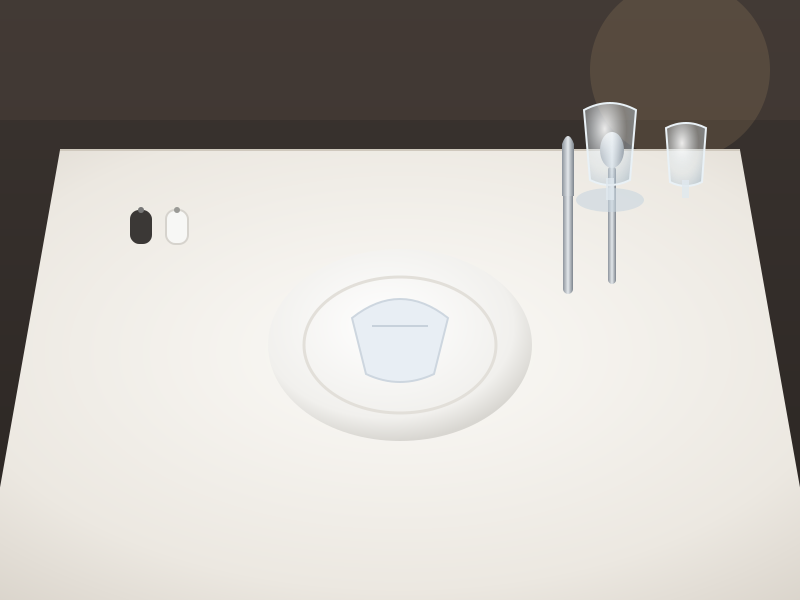
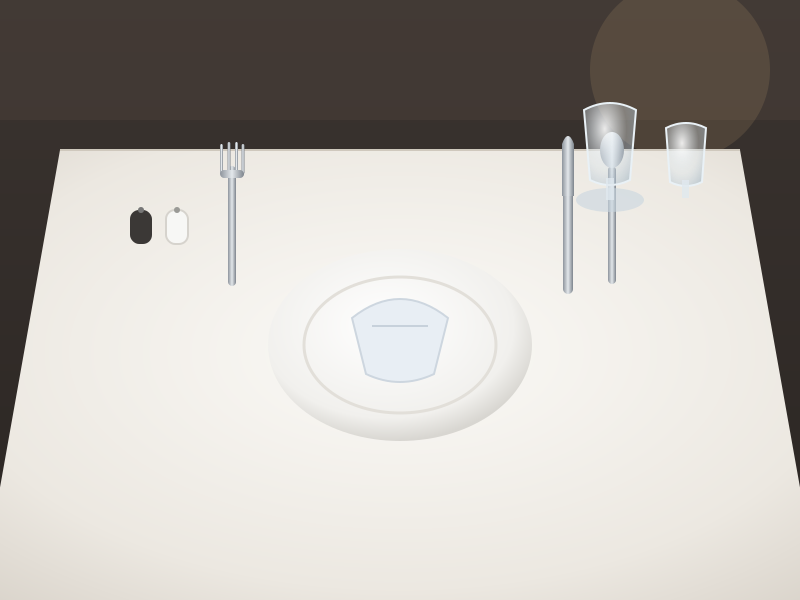
✓Met: Plate centred on the setting
✕Not met: Cutlery aligned both sides
✓Met: Glassware in place
Fork missing at the left of the plate. Protocol v3.
4History
Started 7:31 PM · Photo 7:41 PM · AI assessed 7:42 PM
Recorded as a human decision, separate from AI.
Know what to do next
No training manual, no long forms. Staff open the app on their own phone and the next job is at the top.
An installable web app — works on any phone, no app store
“Do this next” and “Also needs you”, in plain language
Start, Take photo, Retake, Redo — minimal typing
When something comes back, the reason comes with it
Interactive demo · sample dataNeha K.’s phone
My tasksThursday
Do this next
Restaurant table settingF&B service · Table 8Retake
New photo needed. This is about the photo, not the work.
Take photo
Also needs you
Minibar check, room 204Overdue since 2:00 PMOverdue
Lobby walk-throughStarted 3:10 PMIn progress
Evening turndown set-upDue 6:30 PMUpcoming
04
AI, used responsibly
AI checks the photo against your standard. You decide what it may decide.
Protocol by protocol, you choose whether AI acts on its own or recommends to a manager. Until you grant it, nothing is automatic.
Pass
Every criterion met
The setting matches your written standard, criterion by criterion.
Applied automatically only where you’ve allowed it; otherwise sent to a person.
Work failure
The work is wrong
A criterion isn’t met — here, the fork is missing. The reasoning is shown to the reviewer.
Goes back as rework.
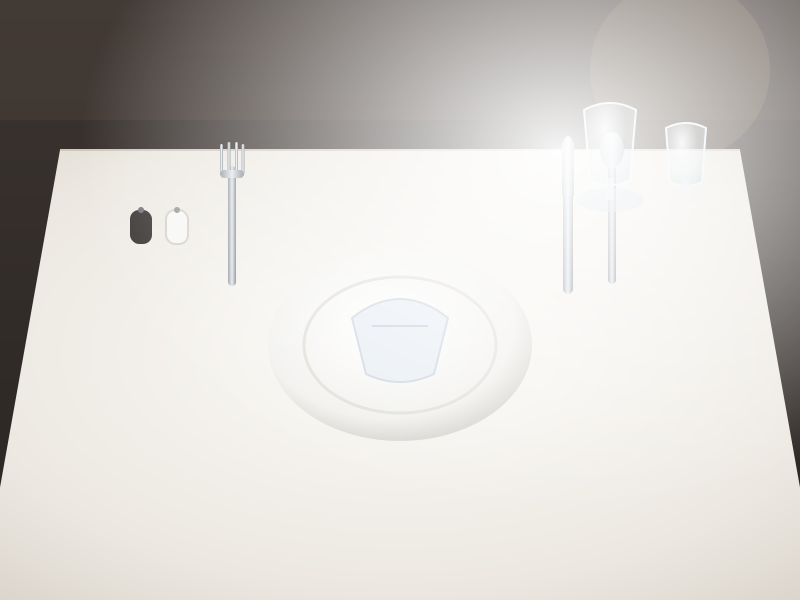
Evidence inadequate
The photo can’t prove it
Blurred, too bright, wrong angle. That says nothing about the work, so it isn’t held against it.
Staff are asked for a new photo — a retake.
Sent to a person
Uncertain
The AI isn’t sure
When the answer isn’t clear, it says so rather than guessing.
Always goes to a person. This can never be automated.
The controls stay with you
Automation is something an owner grants, one protocol at a time — never a default switched on for everyone.
Per-protocol authorityAn owner authorises the AI to apply results on a specific standard. Anything not authorised waits for a person.
Uncertain is never automatedNo setting changes this.
One-click stop switchesTurn automatic decisions off whenever you choose.
Random auditsA sample of automatic approvals is sent back to a person to check.
“AI got this wrong”Managers can correct a result. The correction is recorded as a new human decision, and counted.
AI Quality pageResults, corrections, disagreements, and the provider’s cost and speed — in one place.
Nothing is lostEvery AI result keeps its photo, protocol version, model and reasoning.
Your standard, written by youIn Verification Studio, AI can suggest checks for a standard; a manager writes, edits and publishes them. The AI then checks against the version the task was created under.
Many tools now put AI on a photo. The question worth asking is who is allowed to act on what it says.
05
Case study
Galaxy — a working hotel, in daily use since July 2026
Vectis Run was built alongside a real operation, not in a demo environment.
Since July 2026, Galaxy has run its recurring routines through Vectis Run — more than fifty of them, across six departments. Each one generates its tasks automatically, every day, with an owner and a due time. Together they produce thousands of tasks a month.
Since September 2026, the people responsible for the hotel have received a WhatsApp morning report every day: a PDF of the previous day’s operations, by department and person.
Working inside a live hotel has shaped the product more than any specification: the minimal typing on the staff app, the line between retake and rework, the decision to keep older unresolved work in view rather than letting it fall off the page.
Editor’s note
Guest ratings move for many reasons — staffing, season, pricing, renovation, the mix of guests. The rating above is reported by the hotel, has not been independently verified, and is not presented as the result of any single change, including Vectis.
06
For groups
One standard. Every property.
A second hotel shouldn’t mean a second way of doing things — or a second phone you have to keep checking.
Vectis Run was built for groups from day one. Every record belongs to a property, every role is granted per property, and you switch between properties without switching systems.
Roles per propertyAn owner across all of them, a GM at one, a supervisor in one department.
Written standards at each“Done right” means what you wrote down, not what the local manager remembers.
A morning report per propertyEach hotel’s day, on its own page.
Your groupOne sign-in · switch between properties
The Meridian House (sample)Owner · youGM · Rahul D.
Sample HotelOwner · youGM · Priya S.
Sample ResortOwner · youGM · Arjun M.
Roles granted per property; records never cross between them.Sample data
07
The products
Vectis Run today. Vectis Grow next.
First, a reliable record of how the hotel actually runs. Then, using that record to improve guest outcomes and revenue.
Vectis Run
Available now
The operating layer for a hotel’s daily work: what should happen, who owns it, whether it was done right, and what needs attention.
Recurring routines per department, and quick tasks
Photo proof and verification against versioned standards
AI photo checks, under owner-granted authority
Overview, Operational Integrity and the Daily Operations Report
WhatsApp morning report and in-app daily briefing
Complaints tracked as tasks with an owner and deadline; guest feedback forms
Vectis Grow
Coming next
Turning the operating truth Run records into better guest outcomes and revenue. It is on the roadmap and not yet available; we won’t put dates on it here.
Guest feedback intelligence
Enquiry and banquet capture
Owner intelligence
Revenue insight
08
The first 30 days
How a rollout usually runs
An outline, not a guarantee. Every hotel moves at its own pace, and nothing about your PMS has to change.
1
Step oneStart from the checklists you already have
Your paper lists and WhatsApp routines become departments and recurring templates — daily, weekly, monthly — each with a due time and an SLA.
2
Step twoAdd people and roles
Owner, GM, department heads, supervisors and staff, each seeing their own part of the work. Staff install the web app on the phone they already carry.
3
Step threeWrite standards for the tasks that matter
Not every task needs a photo. Choose the ones guests notice, and break each standard into criteria a reviewer — or the AI — can check.
4
Step fourGo live
Routines generate each day. Staff work from My tasks; managers verify, request rework or request retake. Exceptions start to show up where you can see them.
5
Step fiveThe morning report
Yesterday’s operations arrive on WhatsApp at the time you set. With a record to look at, you decide where AI checks would help — and how much they may decide.
Vectis Run works alongside your PMS and existing systems. It needs a connection to use; offline photo capture is on the roadmap.
Book a demo
See it on one of your own routines
Bring a checklist that matters to you — the breakfast setup, the room-ready check, the evening walk-through. We’ll show you how it runs in Vectis Run, from assignment to the morning report.
For owners, general managers and property groups
Independent, boutique, resort and owner-operated hotels
One property or several
Prototype — not connected
?
Questions owners ask
Frequently asked
Does Vectis Run replace our PMS?
No. It works alongside your PMS and the systems you already use. Vectis Run handles the daily work around them: routines, checks, guest issues and the proof that they were done right.
Do staff need to download an app?
No app store. Vectis Run is an installable web app that works on any phone. Staff open it, see what to do next, and tap Start, Take photo, Retake or Redo — with very little typing.
Will AI make decisions without us?
Only where an owner has explicitly allowed it, one protocol at a time. Anything not authorised is a recommendation to a manager. Uncertain results always go to a person, automatic decisions can be stopped with one click, and a random sample of automatic approvals is audited.
What if a staff member sends a bad photo?
That is a retake, not a rework. The record says the issue was the photo, not the work, and the two are counted separately — so nobody is marked down for good work that was badly photographed.
Which departments can use it?
Any department with a routine: front office, F&B service, kitchen, housekeeping checks, maintenance rounds, accounts and the GM’s own duties. Each department gets its own recurring templates, schedules and SLAs.
We run more than one property. Does it handle that?
Yes. It was built for groups from day one: every record is scoped to its property, roles are granted per property, and you switch between properties in the same system.
How do we know the records are honest?
Every change is time-stamped in an append-only audit trail. Operational Integrity looks at the records every hour for patterns worth a second look — many tasks closed within minutes, work completed on someone else’s behalf, unusual timing, administrative overrides. A signal is not a conclusion; it is a reason to ask.
Does it work without a connection?
Not yet. Today the app needs a connection and says so clearly when there isn’t one. Offline photo capture is on the roadmap.